

头盔整体
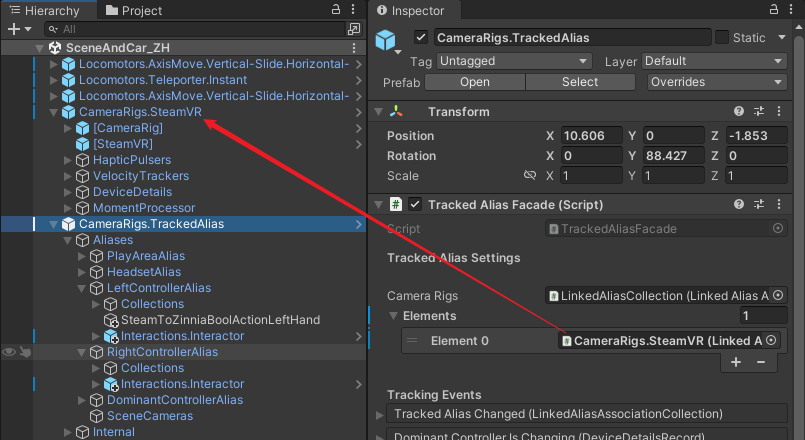
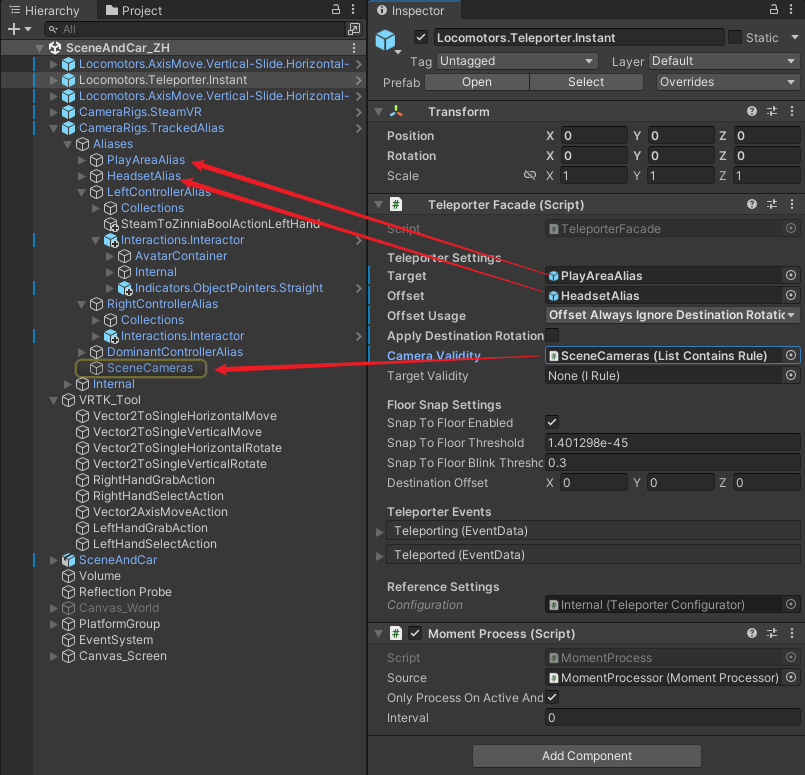
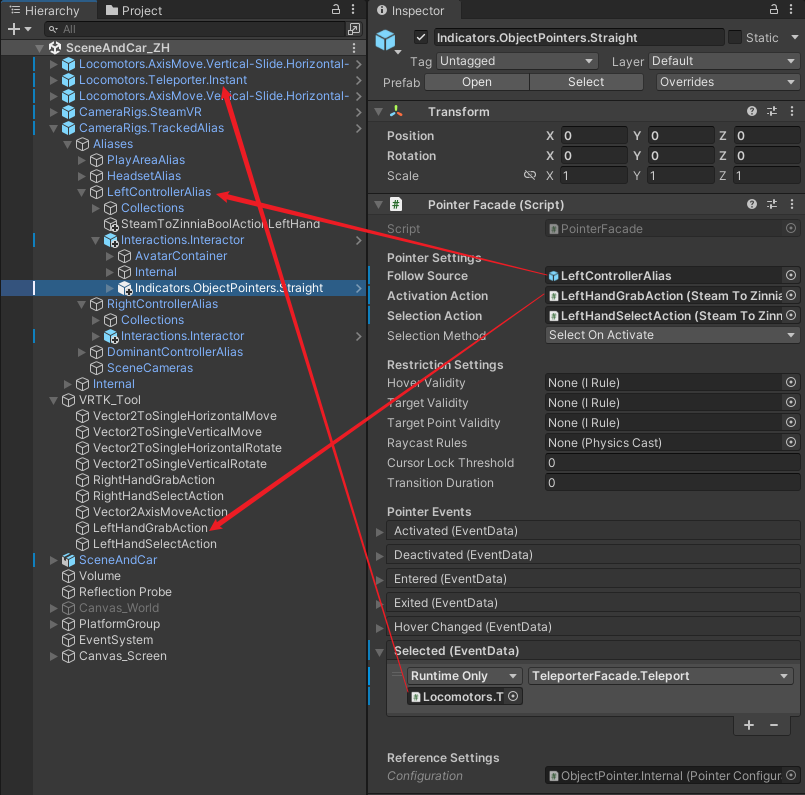
传送
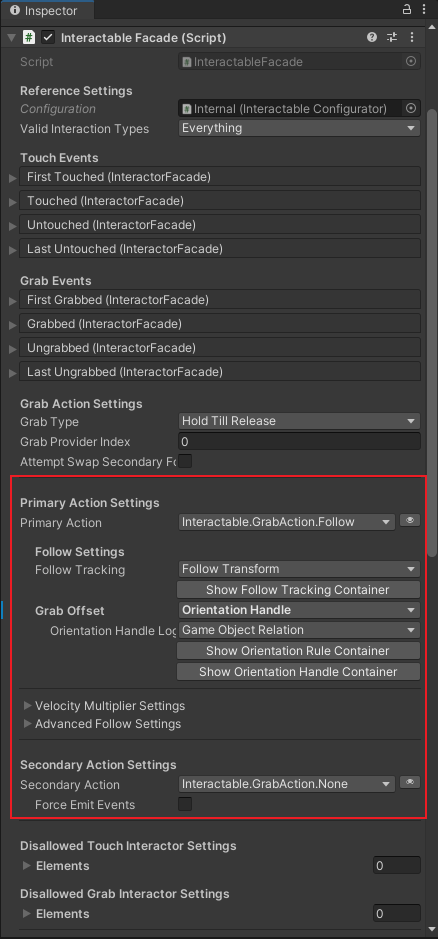
被抓取物体:
UI 交互
输入,代码示例
using Valve.VR;
using Zinnia.Action;

/*
 * Description:
 * Author:      #AUTHOR#
 * CreateTime:  #CREATETIME#
*/

public class SteamToZinniaBoolAction : BooleanAction
{
    public SteamVR_Action_Boolean steamVRAction;
    public SteamVR_Input_Sources inputSource = SteamVR_Input_Sources.Any;

    protected override void OnEnable()
    {
        base.OnEnable();
        // OnChange 在“按下”和“松开”都会回调,newState = true/false
        steamVRAction?.AddOnChangeListener(OnChange, inputSource);
    }

    protected override void OnDisable()
    {
        base.OnDisable();
        steamVRAction?.RemoveOnChangeListener(OnChange, inputSource);
    }

    private void OnChange(SteamVR_Action_Boolean fromAction,
                          SteamVR_Input_Sources fromSource,
                          bool newState)
    {
        Receive(newState);
    }
}
using UnityEngine;
using Valve.VR;
using Zinnia.Action;

public class Vector2ToFloatAction : FloatAction
{
    public enum AxisType
    {
        Horizontal,
        Vertical
    }

    public SteamVR_Action_Vector2 moveAction;
    public SteamVR_Input_Sources inputSource = SteamVR_Input_Sources.RightHand;
    public AxisType axisType = AxisType.Horizontal;
    public float mulltiplier = 1.0f;

    protected virtual void Update()
    {
        if (moveAction != null)
        {
            Vector2 axis = moveAction.GetAxis(inputSource);

            float value = axisType == AxisType.Horizontal ? axis.x : axis.y;

            // 设置 FloatAction 的接收值
            Receive(value * mulltiplier);
        }
    }
}
转载自CSDN-专业IT技术社区
原文链接:https://blog.csdn.net/weixin_41741510/article/details/160596633

